main control interface
Navigation is organized around two groups of controls: five buttons above the display, and six clickable encoders around the display. Their functions change depending on the current screen.
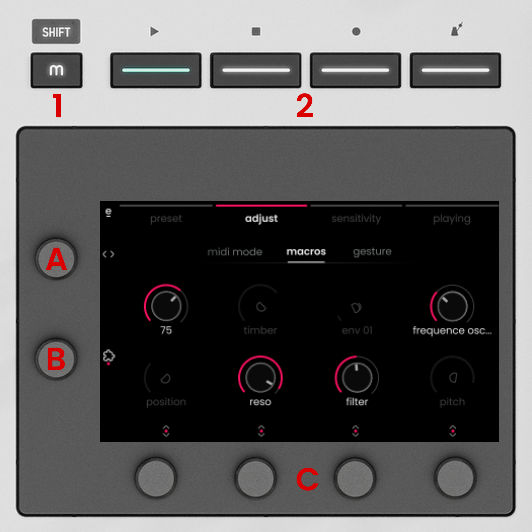
- MODE button / SHIFT (m) - opens the Main Menu (mode selection screen) when in External MIDI mode. In DAW Control mode, pressing it shows or hides the Transport Panel. Holding it as SHIFT button gives access to secondary functions
- MENU buttons - access one of the four menus of a mode, or work as transport controls when Transport panel is open in DAW Control Mode.
- Knob A (TAB Selector) - turn to scroll through tabs inside a menu.
- Knob B (PARAMETER Selector) - turn to scroll through parameters inside a tab.
- VALUE Encoders 1-4 - change the value of the parameter displayed above or scroll through a list of options.
The icons displayed next to each encoder indicate the available actions for that knob.
 horizontal arrows: turn to scroll through tabs or parameter lists, see ‘navigation principles’ below.

 vertical arrows: turn to change the parameter shown above. With colored dot: press to select or toggle.


 colored dot with special symbol: press to trigger a special function.
navigation principles
Outside of the DAW Control mode’s Transport panel, most menus have tabs and parameter lists that you can navigate as follows:
tab navigation
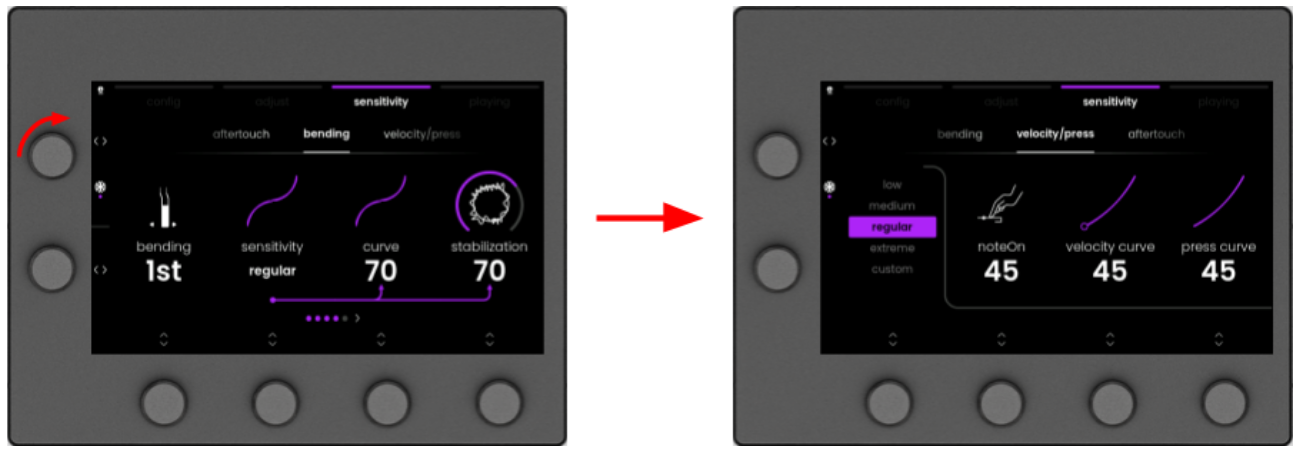
To scroll through tabs in a menu, turn Knob A in the upper left corner.
parameter navigation
If more than 4 parameters are available in a tab, turn the Knob B to scroll through available parameters.
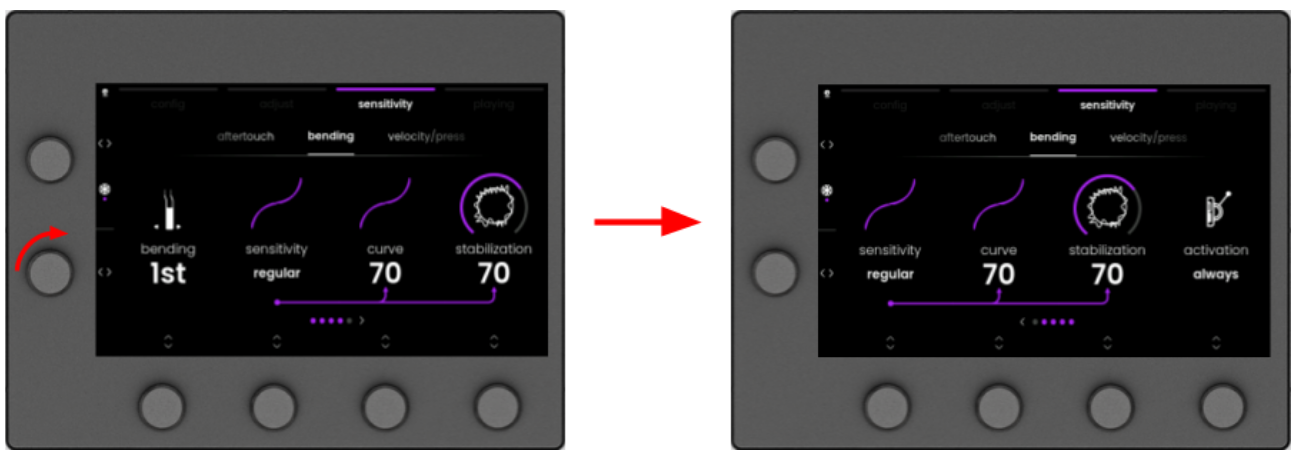
At the bottom of the screen, the icons pictured below indicate the total number of parameters in the tab: