

No redemptions are available

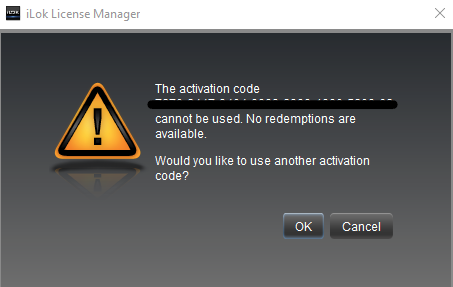
If you receive this error message, then you are probably trying to activate your license on a second or third computer.
Please be aware that you can redeem an iLok activation code only once.
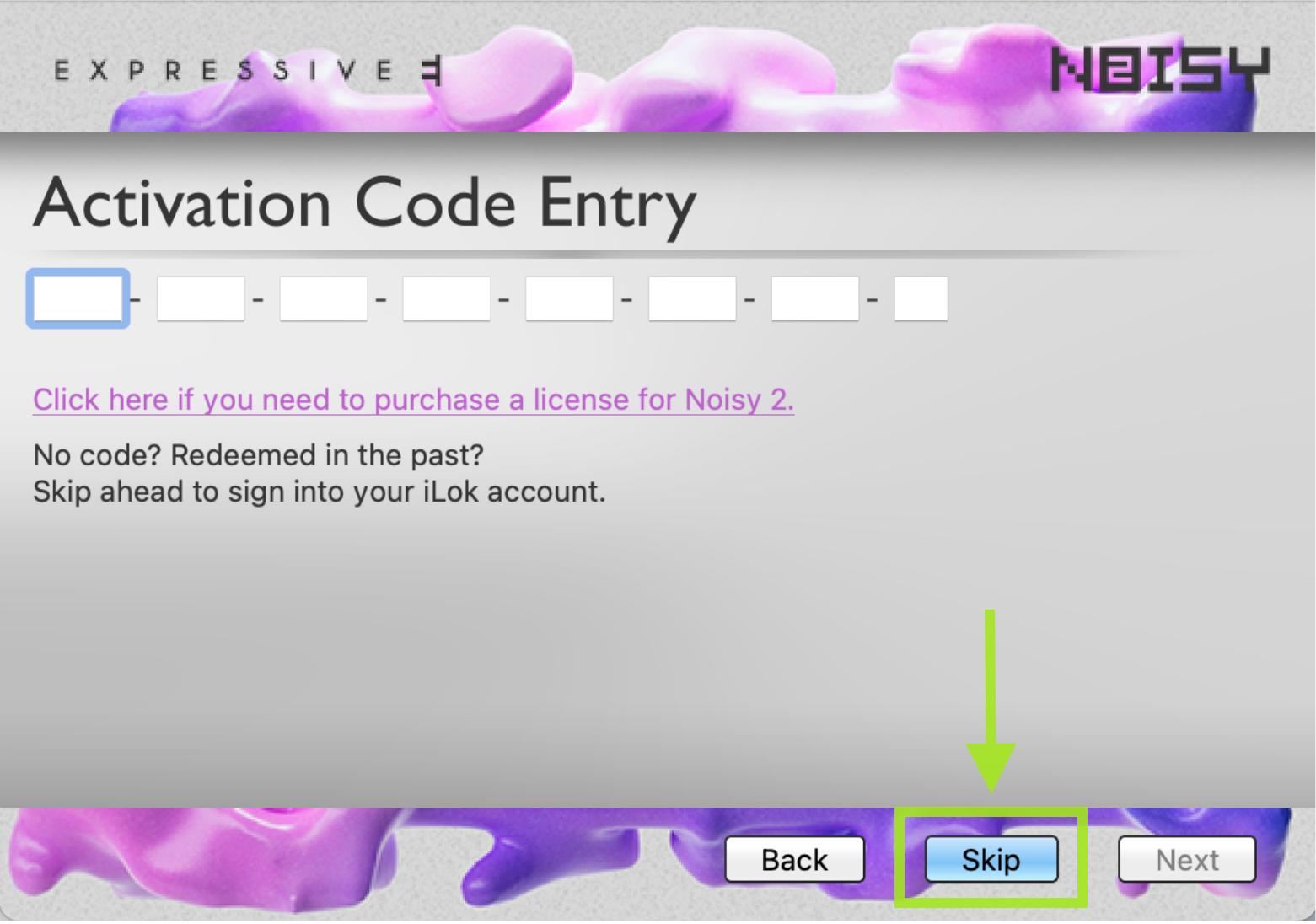
Instead of entering your code again, click ‘Skip’. You can then log in to your iLok account and retrieve the license from there.
If you cannot find your license in your iLok account, the most likely reason is that you redeemed it only locally on the first computer you activated.
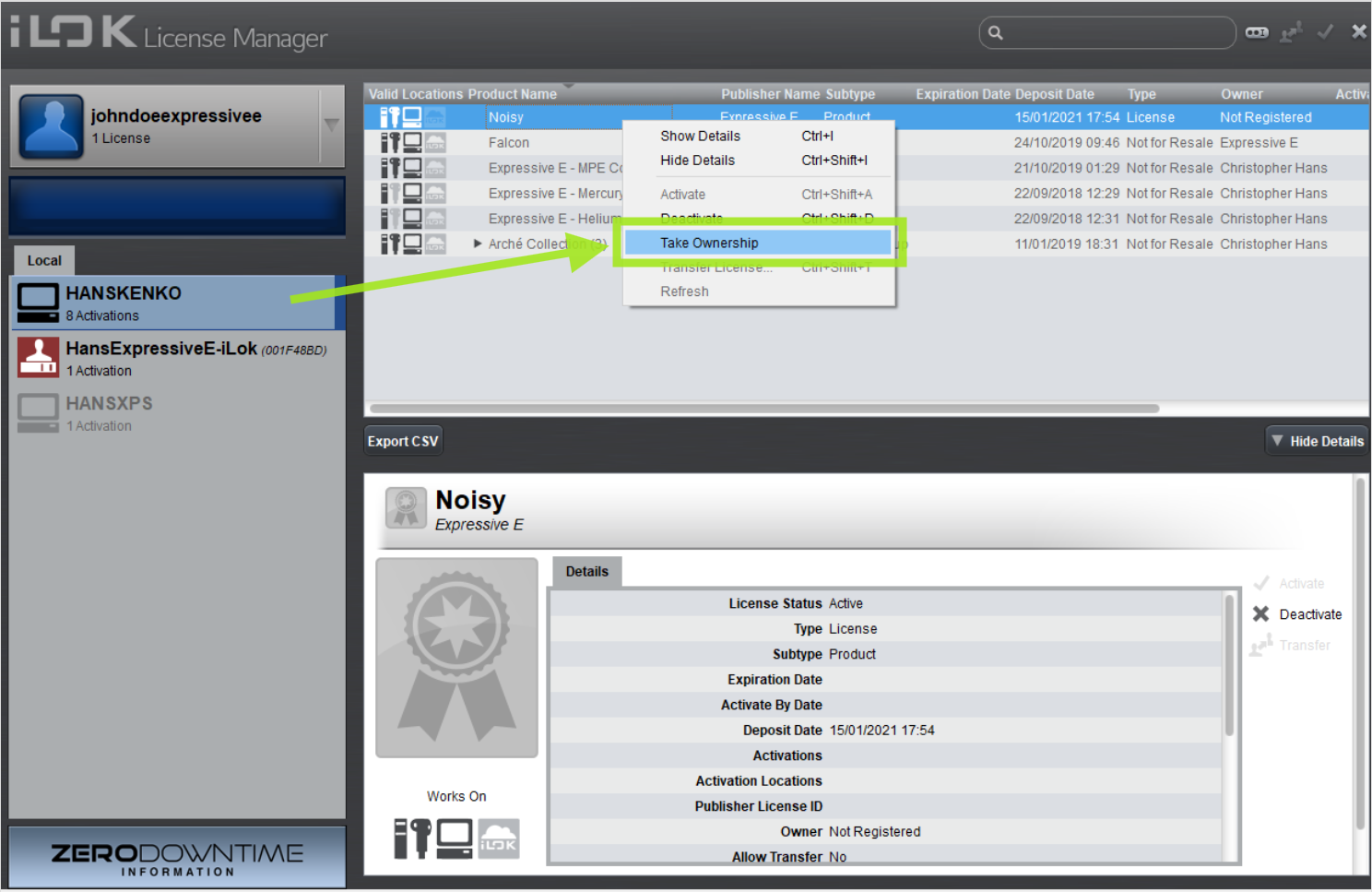
To make the license available in your iLok account now, you must access that first computer you activated and “take ownership” of the license there:
take ownership of a license you only activated locally
On the first computer you activated, open iLok License Manager and sign in to your iLok account. Click on your local computer icon on the left-hand side. The license should be displayed as "unregistered" in the list on the right. Right-click the license and choose “Take ownership”.
If you no longer have access to the computer you activated, please contact our customer support. Provide your iLok activation code and iLok account, and we will link your license to your account on our end.
On your new machine, which still lacks the product activation, use either the built-in activation window or iLok License Manager to activate the license. Follow these instructions: How can I activate my plugin license on multiple computers?

