Author: Christopher Hans
Last updated: Aug 16, 2026
 9285
views
9285
views
A comprehensive PDF guide regarding activating Expressive E software protected by PACE iLok is available here:
👉 Expressive E iLok License Activation Guide
☝️This guide is not relevant for our Expressive Suites. These follow the activation logic of the respective third-party plugin developer.
To find the installation guides for Expressive Suites, click the ‘help’ button of the respective product tile in the my products section of your account.
There are two methods of redeeming and activating your license:
The inbuilt activation popup is the most convenient way to redeem your code and activate your license. It is explained below.
The dedicated iLok License Manager application is a handy alternative for redeeming your code and/or activating your license, especially when you encounter issues with the activation window not appearing in your DAW. Activating your plugin with iLok License Manager is explained here.
activating your instrument with the inbuilt activation window
|
|
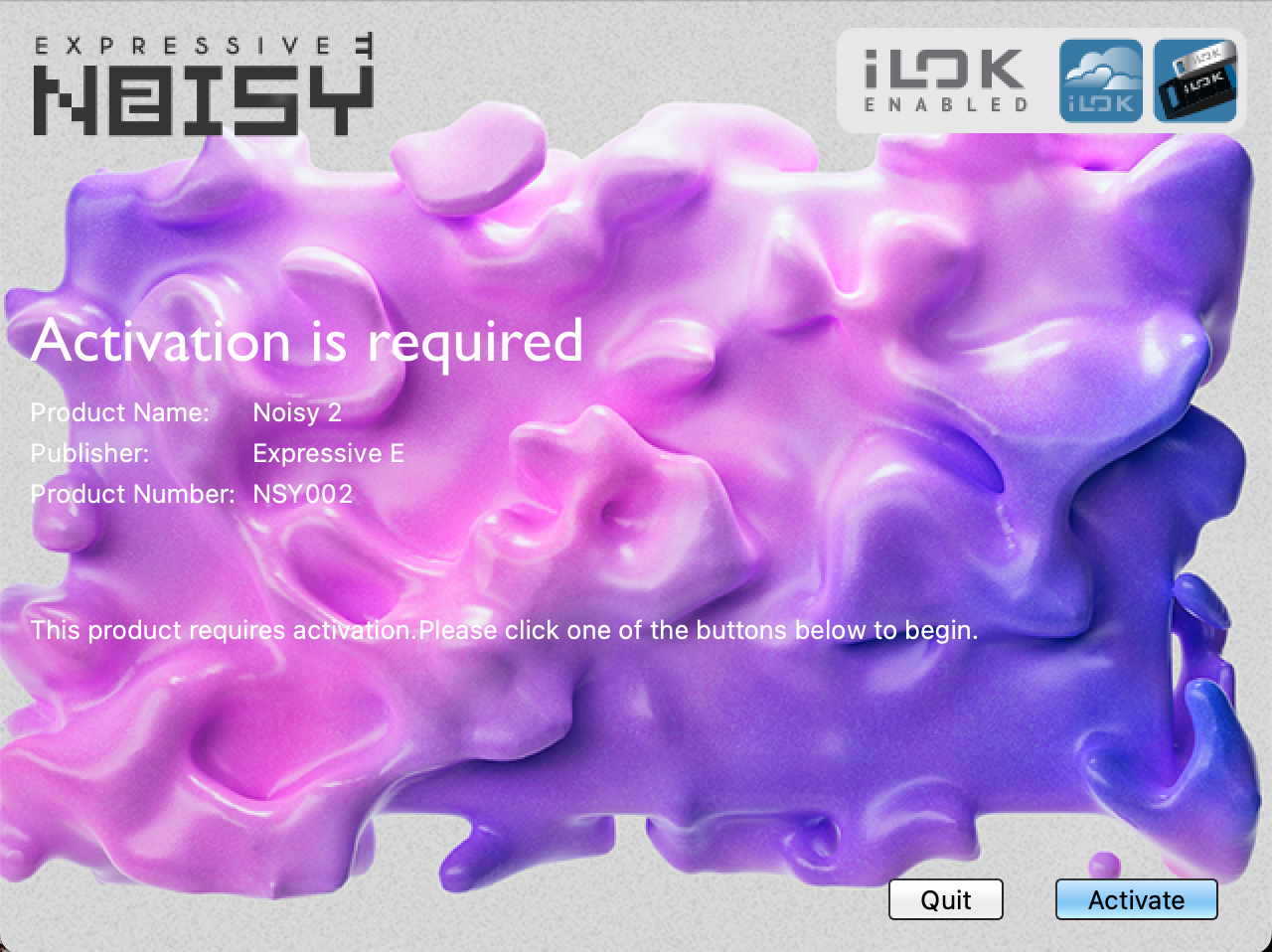
Once you have installed your new plugin, launch your DAW. When it detects the new plugin for the first time, an activation window should appear. Click ‘Activate’.
☝️If the popup does not show up, consider activating with iLok License Manager instead.
|
|
|
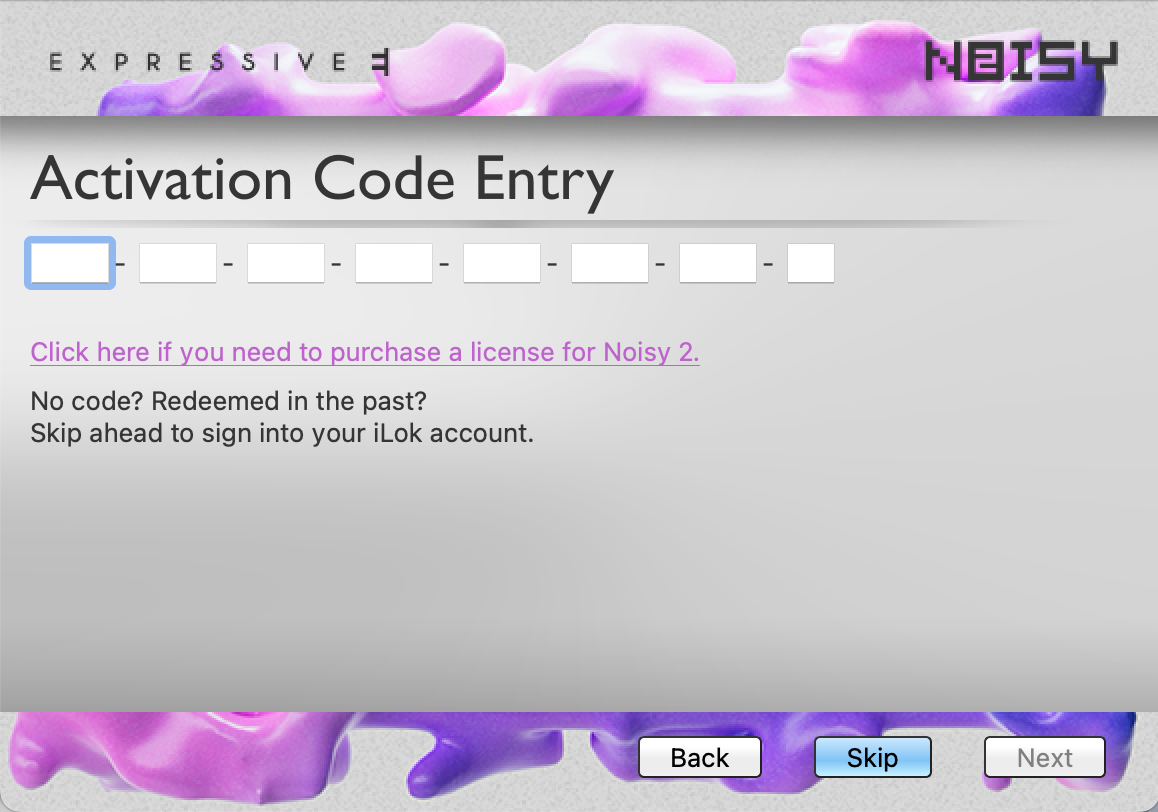
If your iLok activation code has never been redeemed before, paste it from your Expressive E user account to redeem the license. Where to find my iLok activation code?
If you already redeemed the code before, click ‘Skip’. It lets you log in to your iLok account to retrieve the license.
|
|
|
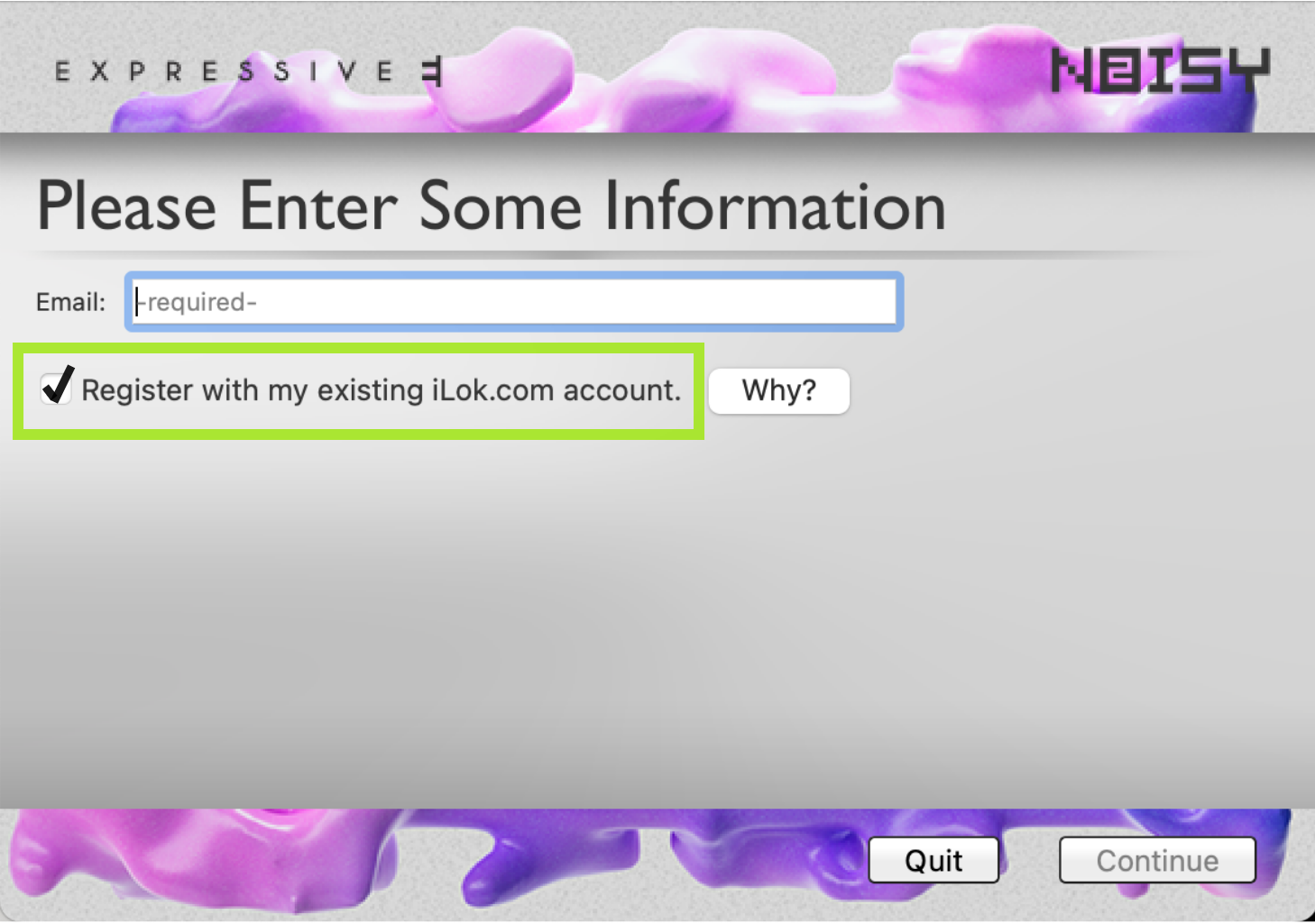
An email address is enough to activate locally on a single computer, but we strongly recommend redeeming the iLok activation code to a free iLok account.
To do this, check the box “Register with my existing iLok.com account.”
|
|
|
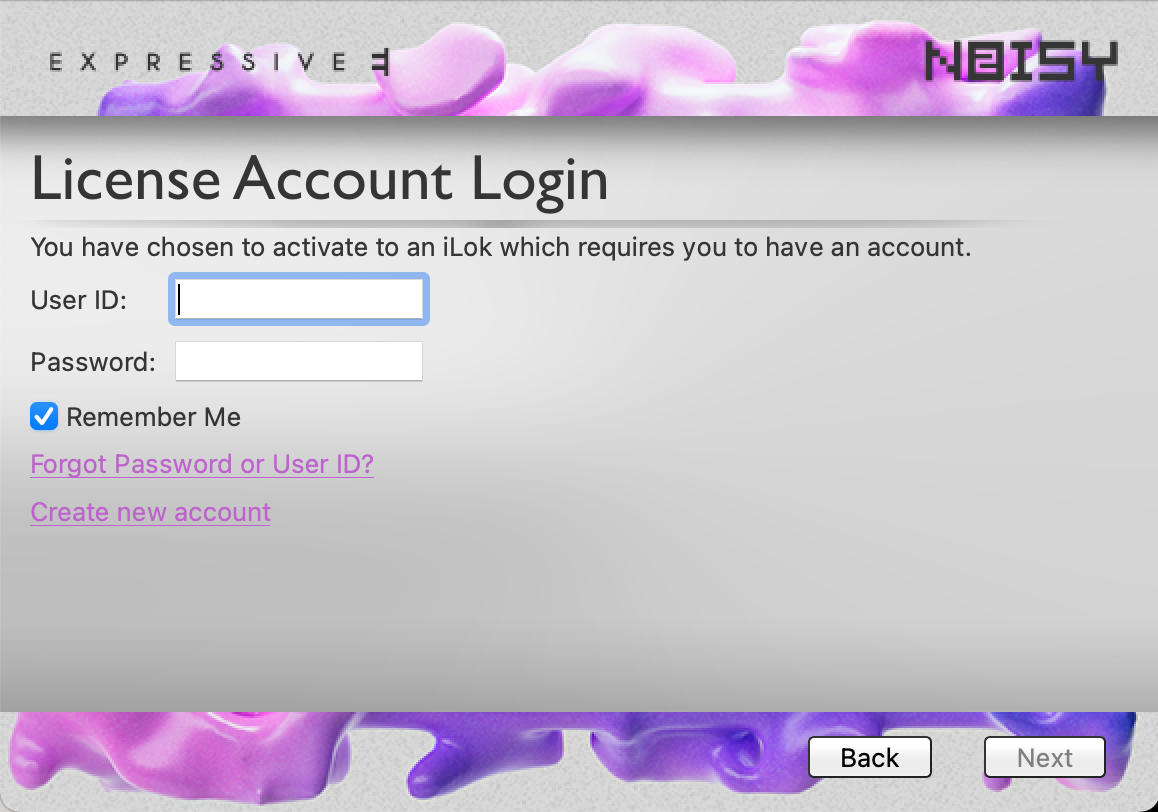
After clicking ‘continue’, you will be asked to enter your iLok account credentials.
If you don’t have an iLok account yet, click ‘Create new account’. It will lead you to the iLok website.
|
|
|
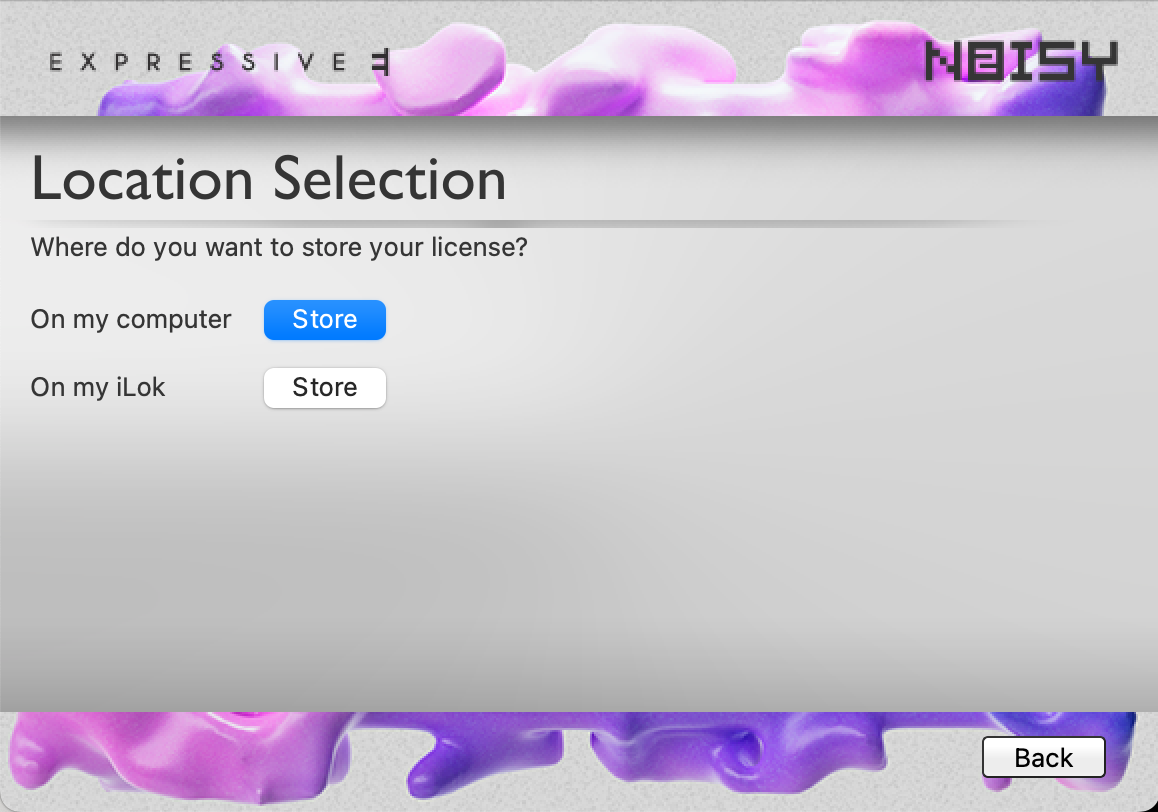
Choose the location for your license activation.
If you use an iLok account, you can activate up to three locations at the same time. This can be any combination of computers and iLok dongles.
|
|
|
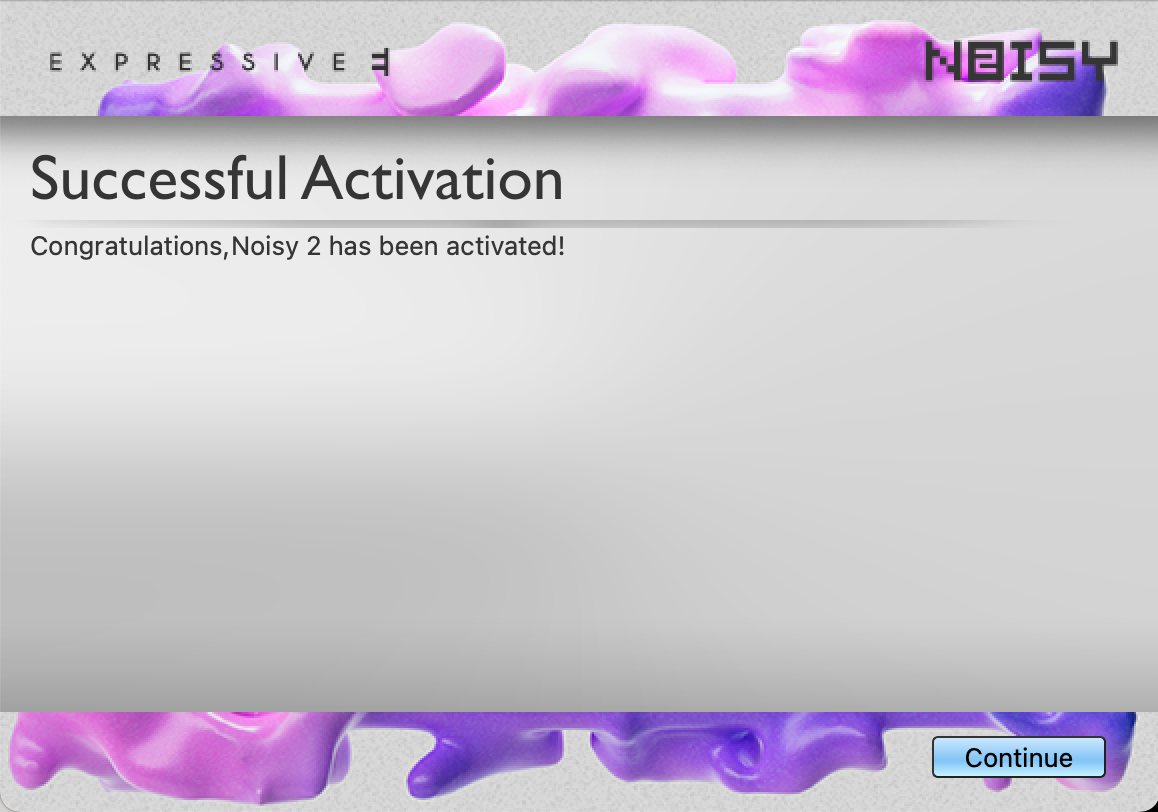
The license has now been activated on the location you selected, and you can start using the plugin in your DAW.
If the plugin still isn’t available in your DAW, please refer to our step-by-step troubleshooting guide:
My plugin does not show up in my DAW
|


