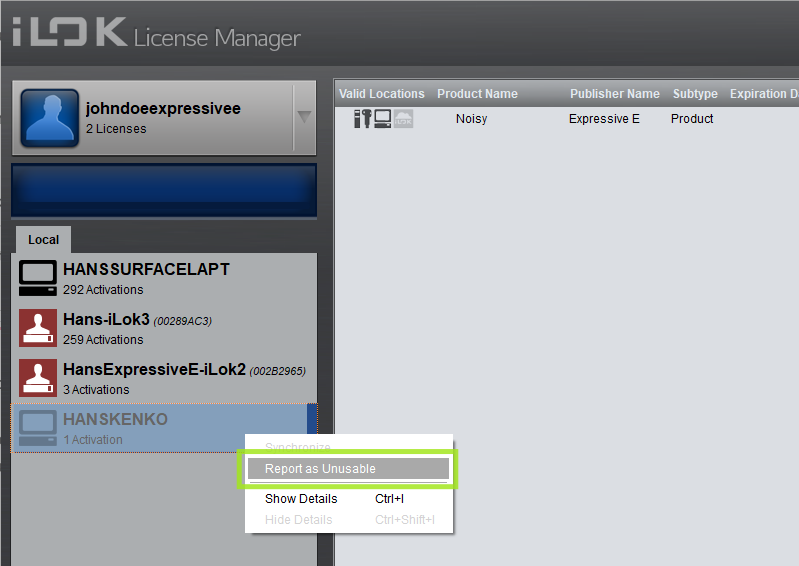
machine activation reset – report a computer as unusable

If you have license activations on a computer that you can no longer access, or your computer appears to have been duplicated in iLok License Manager due to system changes, you can report this directly in iLok License Manager and request that the activations be reset.
Note that submitting a machine reset request affects all licenses currently activated on this machine (from Expressive E and any other companies), so each company must approve or deny the request for its own products. Once we approve it, any Expressive E license activations will be removed from the inaccessible location, freeing up one of your three possible activations for each product. Eventually, the old machine should disappear from the list of locations in iLok License Manager.
To report a computer as unusable and submit a reset request, open iLok License Manager and sign in.