


Holding SHIFT (m), wherever you are in the navigation, reveals the bottom action bar.
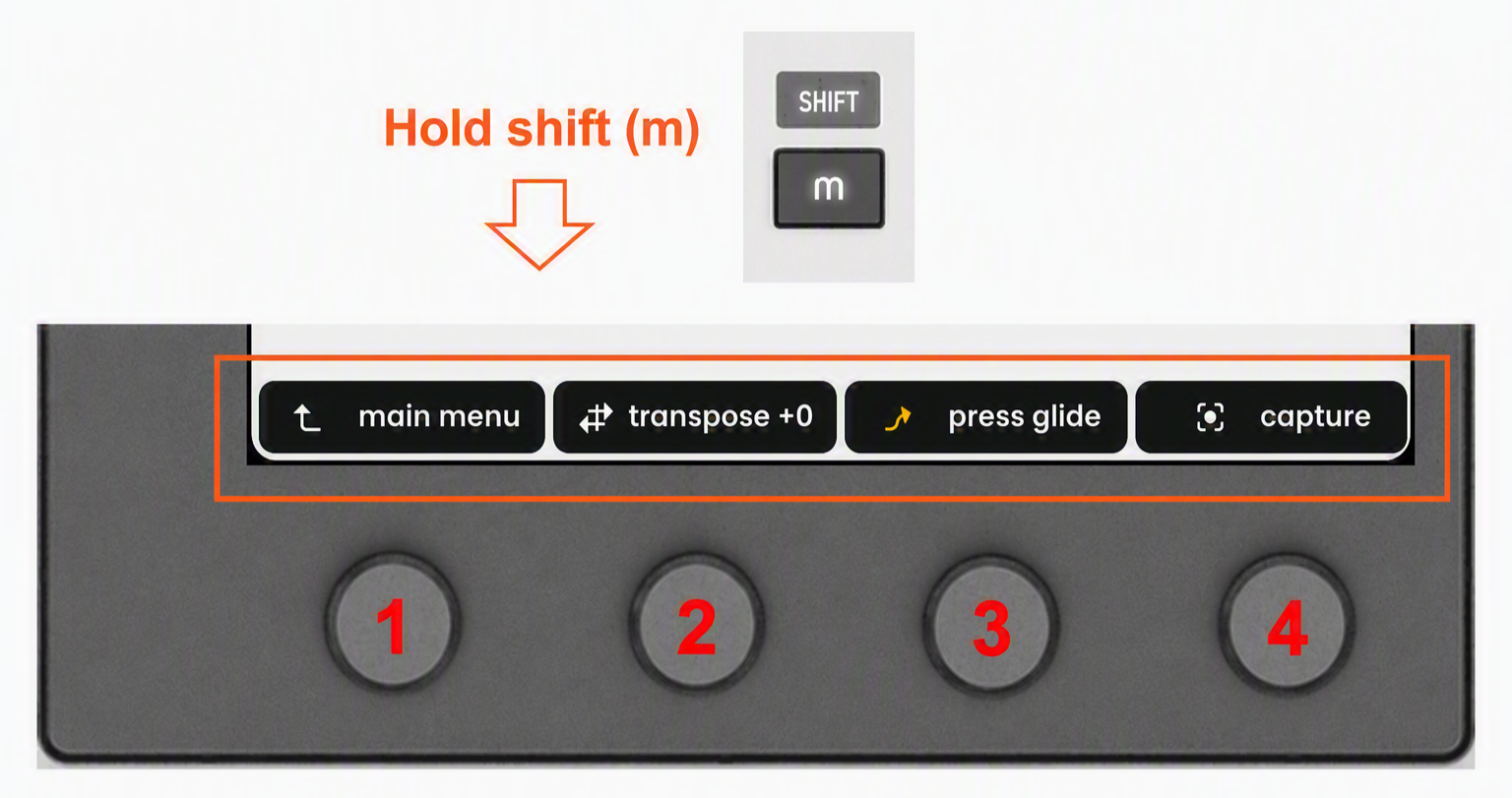
The bottom action bar gives quick access to global or context-related shortcuts:
1 - main menu - Press encoder 1 to return to the main menu.
2 - transpose - Turn encoder 2 to transpose the keyboard in semitone steps. Press to reset to 0. Transposition is applied only to the current mode you are in.
3 - toggle playing feature - Press encoder 3 to enable or disable the selected playing feature for the currently active mode, either pressure glide or the expressive arpeggiator.
4 - capture / switch device - Press encoder 4 to trigger your DAW’s MIDI Capture function, when available. MIDI Capture retrieves the notes you have just played, even if you were not recording.
☝️The capture function is available in Ableton Live, Cubase, and Logic Pro. It is not available in Bitwig Studio.
When in macros tab, the shortcut “switch device” will be shown instead of “capture”, see section macros and device switching.

